Your team is out in the field, in a warehouse basement, or driving between job sites — and the internet drops. If your business runs on a web app that grinds to a halt the moment the signal disappears, that lost connection means lost work, double data entry, and frustrated staff. The good news: a web app can keep working offline and quietly catch up the moment it's back online. Here's how that works, in plain English.
Can a web app really work without an internet connection?
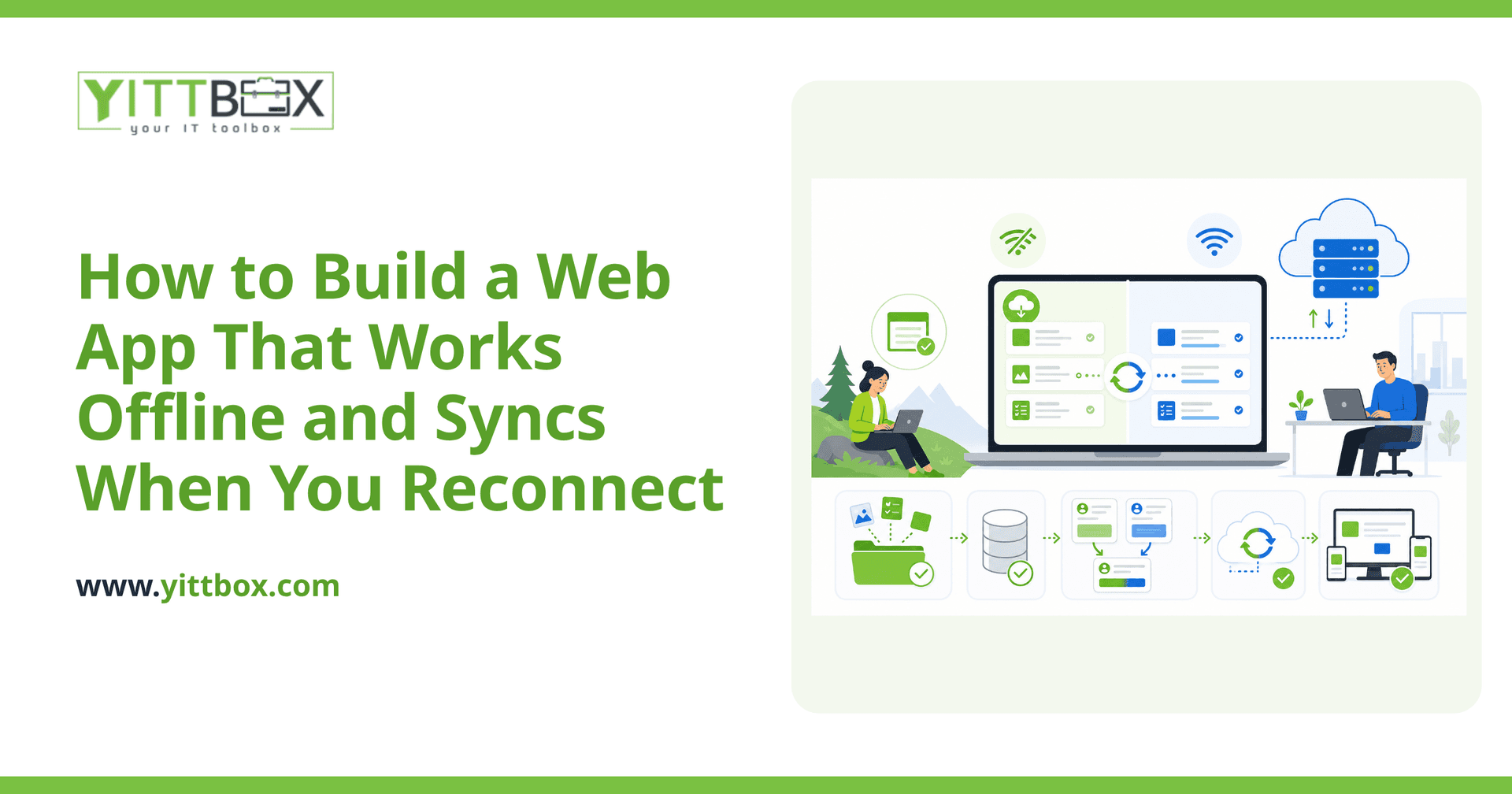
Yes. A well-built web app can store data directly on the device your team is using — a phone, tablet, or laptop — so they can keep entering orders, filling out forms, or updating records even with no signal at all. The app holds onto everything locally, then sends it to your central system automatically once a connection returns. To your team, it feels like nothing ever stopped working.
How does the offline data actually get saved?
When someone uses the app offline, their entries are written to a small storage space built into their browser or device rather than sent straight to your server. Think of it as a temporary inbox that lives on the device. The key pieces that make this reliable are:
- Local storage — a place on the device to hold new and changed records until they can be uploaded.
- A service worker — a background helper that lets the app load and run even with no connection.
- A sync process — the logic that pushes local changes up to your main system, and pulls fresh data back down, as soon as the device reconnects.
You don't need to understand the mechanics to benefit from them — but it helps to know they're proven, standard techniques, not experimental tricks.
What happens if two people change the same thing while offline?
This is the most important question, and it's the one cheap solutions ignore. If two team members edit the same customer record while both are offline, the app needs clear rules for what happens when they both reconnect. Common approaches include:
- Last change wins — the most recent edit overwrites the earlier one. Simple, but risky if the earlier edit mattered.
- Flag and review — the app detects the clash and asks a person to decide which version is correct.
- Merge by field — changes to different fields on the same record are combined automatically, so nobody's work is lost.
The right choice depends on how your business actually works. A field that only one person ever touches needs less protection than a shared stock count. Deciding these rules up front is what separates an offline app you can trust from one that quietly loses data.
Do I need to build a phone app to get this?
Usually not. A modern web app can be installed on a phone or tablet's home screen and run offline much like a native app, without going through an app store. This is often called a Progressive Web App. For most small businesses it's the simpler, more affordable route — one app that works on phones, tablets, and desktops instead of separate builds for each. If you're currently running your business from spreadsheets or an aging database, moving to a web app is a natural step, and you can read more about converting your existing system into a proper web app.
Will offline syncing work with the tools I already use?
In most cases, yes. Offline capability is a feature of the app your team uses, not a replacement for your accounting software, supplier systems, or other tools. A well-designed app can sync its data back to a central database and, from there, share information with the other systems you rely on. The important thing is planning those connections early, so everything lines up instead of becoming a tangle of manual exports.
How much does an offline web app cost to build?
It depends on how much your team does offline and how tricky the syncing rules need to be. A simple form that collects data in the field is far less involved than a full inventory system used by a dozen people at once. That's exactly why we start with an honest conversation about what you actually need — no assumptions, no padding. You can get a free, no-pressure estimate based on your real situation rather than a generic price list.
What should I do before building one?
A little planning saves a lot of money later. Before you commit to anything, it helps to be clear on:
- Where and when your team loses connection, and what they need to do during that time.
- Which records are most likely to be edited by more than one person.
- How quickly data needs to sync — instantly, or is once a day fine?
- What already exists — the spreadsheets, databases, or systems the new app should connect to.
Answer those honestly and you're most of the way to a clear brief.
Where to start
Building an app that works offline isn't about chasing the latest technology — it's about making sure your team can keep working wherever the job takes them, without losing a single entry. If that sounds like a problem you're wrestling with, we'd be glad to take a look. We offer a free, no-pressure review of your situation, explained in plain English, with no pushy follow-up calls. When you're ready, tell us a bit about your business and we'll help you figure out the sensible next step.
Comments
Be the first to comment on this post.